IcePorge-Cockpit
Cockpit web management modules for CAPE and MWDB stacks
Web-based Management Interface for CAPE Sandbox, MWDB Stack and Security Scanning
Part of the IcePorge Malware Analysis Stack.

Screenshots
Security Scanner (TruffleHog)

Scan GitHub repositories, local Git repos, and filesystems for secrets with TruffleHog integration.
MWDB Stack Manager
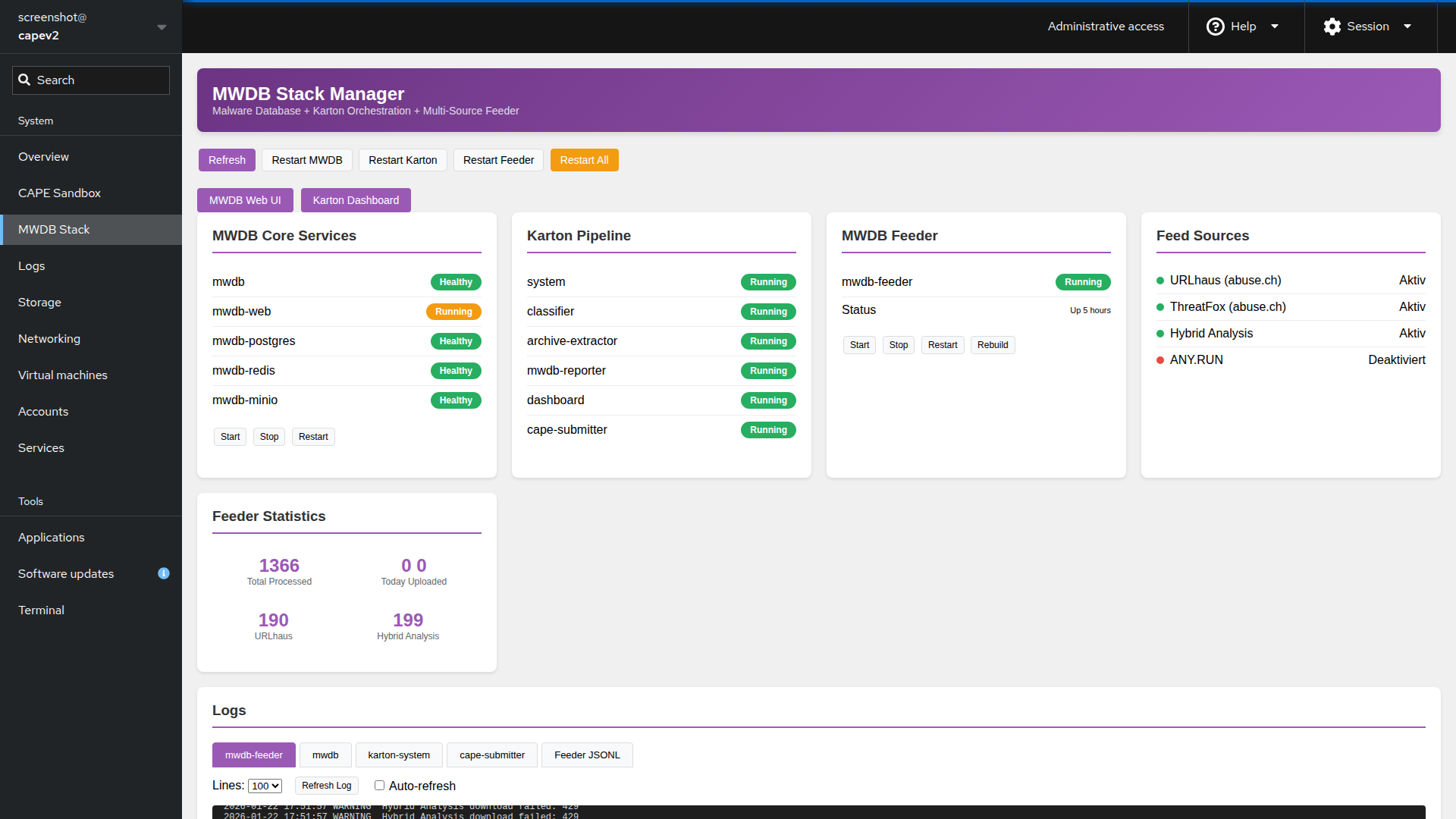
Manage MWDB-core services, Karton pipeline, and container health from a single dashboard.
CAPE Sandbox Manager
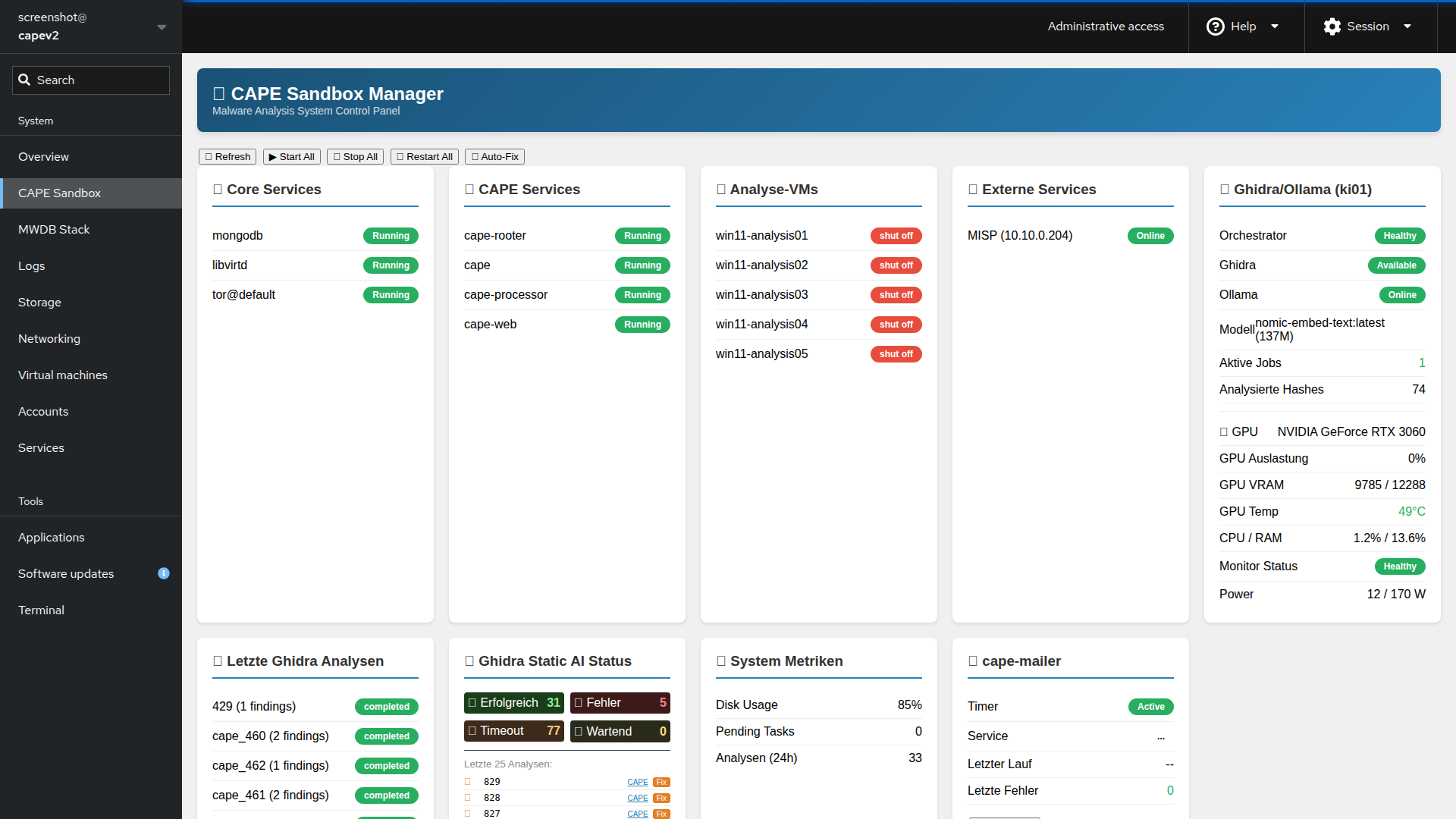
Monitor CAPE services, VMs, and view logs with integrated health checks for external services.
Modules
Security Scanner (security-scanner/)
- TruffleHog integration for secret detection
- Scan GitHub organizations and repositories
- Scan local Git repositories
- Scan filesystem directories
- Configurable scan targets via YAML
- Cron scheduler with graphical configuration
- Pushover notifications for findings
- Scan history and log viewer
- Manual scan of arbitrary repositories
CAPE Manager (cape-manager/)
- CAPE service status monitoring
- VM management (libvirt)
- Log viewer with multiple sources
- Service restart controls
- External service health checks (MISP, Ghidra, Ollama)
MWDB Manager (mwdb-manager/)
- MWDB Core services status
- Karton pipeline monitoring
- MWDB Feeder status and controls
- Feed source configuration overview
- Statistics dashboard
- Container management (start/stop/restart/rebuild)
Installation
# Copy/link modules to Cockpit directory
sudo ln -sf /opt/iceporge-cockpit/cape-manager /usr/share/cockpit/
sudo ln -sf /opt/iceporge-cockpit/mwdb-manager /usr/share/cockpit/
sudo ln -sf /opt/iceporge-cockpit/security-scanner /usr/share/cockpit/

# Restart Cockpit
sudo systemctl restart cockpit.socket
Security Scanner Prerequisites
# Install TruffleHog
curl -sSfL https://raw.githubusercontent.com/trufflesecurity/trufflehog/main/scripts/install.sh | sh -s -- -b /usr/local/bin

# Verify installation
trufflehog --version

# Set log permissions
sudo touch /var/log/iceporge-security.log
sudo chmod 666 /var/log/iceporge-security.log
Access
- Open Cockpit:
https://your-server:9090/ - Login with administrator credentials
- Enable “Administrative access” (required for Docker commands)
- Select module from the menu:
- Security Scanner - TruffleHog secret scanning
- CAPE Sandbox - CAPE service management
- MWDB Stack - MWDB and Karton management
Requirements
- Cockpit >= 215
- Administrative access enabled
- Docker installed (for container management)
- TruffleHog installed (for security scanner)
- GitHub CLI
gh(optional, for GitHub scanning)
License
MIT License with Attribution - see LICENSE
Copyright (c) 2024-2026 IcePorge Project
- GitHub: @icepaule
- Email: **@.*